

Table of Contents
- Quick Comparison Table: Daily Routine Planners for Working Parents
- How We Evaluated These Daily Routine Planners
- 1. Cozi Family Organizer: Best All-in-One Digital Solution
- 2. Erin Condren LifePlanner: Best Customizable Paper Planner for Working Moms
- 3. Google Calendar: Best Free Shared Scheduling Tool
- 4. Artful Agenda: Best Hybrid Digital Planner with Calendar Sync
- 5. Fantastical: Best Calendar App for Apple Users
- 6. Rocketbook Panda Planner: Best Reusable, Eco-Friendly Option
Daily Routine Planners for Working Parents: 10 Best Options
Last Updated: July 27, 2026
Managing a household, advancing your career, and maintaining your sanity requires more than good intentions. Working parents juggle competing demands across work deadlines, school schedules, meal planning, and appointments. According to research from the American Psychological Association, working parents report higher stress levels than any other demographic group, with time management cited as the primary stressor. This guide from WowHaul covers the best daily routine planners for working parents, ranging from digital solutions that sync across devices to paper planners designed specifically for family scheduling challenges.
The right planner reduces cognitive load, prevents missed commitments, and creates space for what matters most.
Quick Comparison Table: Daily Routine Planners for Working Parents
| Planner | Type | Starting Price | Best For | Key Differentiator |
|---|---|---|---|---|
| Cozi Family Organizer | Digital | $0 (Free) / $39-$79/year (Paid) | Families needing all-in-one organization | Shared calendar + shopping lists + meal planning |
| Erin Condren LifePlanner | Paper | $55 | Customizable personal planning | Extensive design options + goal tracking |
| Google Calendar | Digital | Free | Tech-comfortable families in Google ecosystem | Seamless Gmail integration + real-time syncing |
| Artful Agenda | Digital Hybrid | $40-$50/year | Visual planners who want digital syncing | Aesthetic design + calendar integration |
| Fantastical | Digital | Free / $56.99-$89.99/year | Apple users needing powerful scheduling | Natural language event creation + Family Premium |
| Rocketbook Panda Planner | Reusable Paper | $35 | Eco-conscious planners who write by hand | Digitally connected + erasable pages |
| Day Designer | Paper | $59 | Detail-oriented planners prioritizing self-care | Hourly planning + gratitude sections |
| MomAgenda Desktop Planner | Paper | $40-$50 | Moms managing multiple family schedules | Separate spaces for mom + kids activities |
| FamilyWall | Digital | Free / ~$49.99-$79.99/year | Families wanting centralized communication hub | Family social feed + location sharing |
| WowHaul Routine Essentials | Multi-format | Varies | Working parents seeking integrated solutions | Practical finds that support routine building |
How We Evaluated These Daily Routine Planners
We assessed each planner across seven core criteria: features and functionality (shared calendars, task management, meal planning, habit tracking), ease of setup, sharing and collaboration (real-time syncing and family access), customization, cost and sustainability, longevity, and integration with professional workflows (syncing with work tools like Slack or Microsoft Teams).
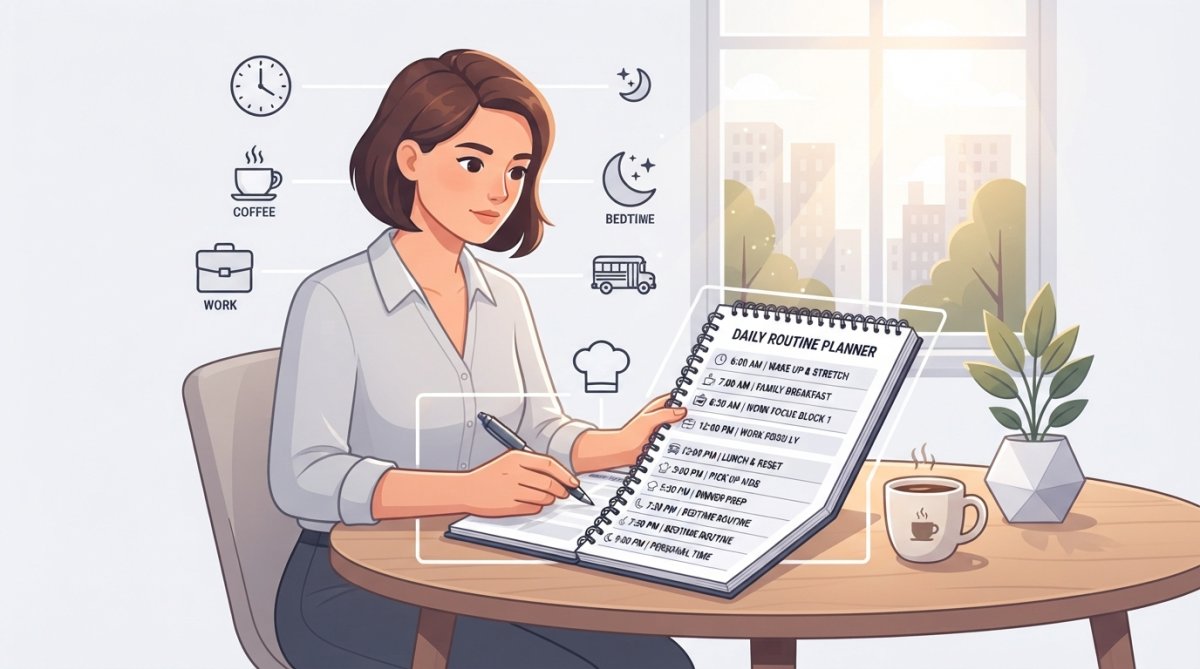
1. Cozi Family Organizer: Best All-in-One Digital Solution
Cozi consolidates the calendar, shopping lists, to-do lists, and meal planning into a single interface that syncs across every family member's device in real time. The shared calendar is color-coded by person and updates instantly. Unlike Google Calendar, Cozi allows family members without email addresses, like young children, to see the schedule and receive reminders.
The integrated shopping list eliminates coordination texts, and the meal planning feature assigns recipes to specific dates while automatically populating your shopping list. Cozi Max ($79/year) adds AI-powered features: an AI Meal Planner that suggests recipes based on dietary preferences, and an AI Event Import tool that reads email confirmations and automatically adds events to your calendar.
What works: Comprehensive feature set designed specifically for families. The free tier includes ad-free access for $39/year. Setup takes under 10 minutes.
What doesn't: The interface feels dated compared to newer apps. One-way sync with Google Calendar means changes in Google don't flow back to Cozi.
2. Erin Condren LifePlanner: Best Customizable Paper Planner for Working Moms
The Erin Condren LifePlanner ($55) offers extensive customization: choose your start month, layout style (vertical weekly, horizontal, hourly, or compact), cover design, and interior pages. This layout choice fundamentally shapes how you'll use the planner. The vertical weekly layout gives you a two-page spread with Monday through Sunday in columns. Inside, you'll find monthly overviews, weekly planning pages, goal tracking, habit monitoring, gratitude logs, and reflection prompts.
What works: Handwritten planning improves memory retention and follow-through. The customization options mean the planner adapts to your style. The quality construction lasts a full year.
What doesn't: At $55, it's pricier than many alternatives. The planner doesn't sync with digital calendars, creating coordination gaps in households where both partners use different systems.
3. Google Calendar: Best Free Shared Scheduling Tool
Google Calendar is free, synced across all your devices, and integrates seamlessly with Gmail and Google Tasks. The family calendar feature lets you create a shared calendar visible to all family members. Color-code by person to make schedules scannable at a glance. Events sync in real time.
Natural language input makes event creation fast: type "dentist Tuesday at 2pm" and Google Calendar parses it correctly. When you receive an event confirmation email, Google automatically suggests adding it to your calendar.
What works: It's free, fast, and syncs instantly across devices. The interface is clean.
What doesn't: Google Calendar lacks family-specific features like shopping lists, meal planning, or task management. All family members need Google accounts to access the shared calendar, which excludes young children.
4. Artful Agenda: Best Hybrid Digital Planner with Calendar Sync
Artful Agenda ($40-$50/year) bridges the gap between paper and digital planning. The interface mimics a physical planner with customizable covers and designs. Critically, it syncs with Google Calendar, Apple Calendar, and Outlook. Add an event to your phone's calendar, and it appears in Artful Agenda. The daily view includes space for top priorities, to-do lists, habit tracking, and the meal planning feature integrates with your calendar view.
What works: The aesthetic design makes planning feel less like a chore. Calendar syncing prevents coordination anxiety. It's ad-free on all subscription levels.
What doesn't: Some features are desktop-only, limiting phone access. Sharing with family members isn't built in; each person needs their own subscription.
5. Fantastical: Best Calendar App for Apple Users
Fantastical ($56.99-$89.99/year for individuals, $89.99/year for families) is the power user's choice for Apple device households. The standout feature is natural language event creation: type "lunch with Sarah Tuesday at 1pm" and Fantastical parses it correctly. The Quarter view (13 weeks at once) is particularly useful for working parents planning school semesters and family vacations simultaneously. The app integrates with iCloud, Google Calendar, Exchange, Outlook, and Todoist. The "Openings" feature shows your free time slots.
The Family Premium plan ($89.99/year for up to 5 family members) includes advanced features for all members.
What works: Powerful scheduling tools for complex lives. Natural language input is genuinely fast. The interface is polished. Family Premium is reasonably priced.
What doesn't: Optimized for Apple devices; Windows users get a less elegant web interface. The most useful features require a paid subscription. It lacks meal planning, shopping lists, or chore management.
6. Rocketbook Panda Planner: Best Reusable, Eco-Friendly Option
The Rocketbook Panda Planner ($35) combines handwritten planning with digital backup. Write with Pilot FriXion pens, and the pages look and feel like regular paper. When ready to reuse, wipe them clean with a damp cloth. A single planner can be reused indefinitely, making it far more sustainable than buying a new paper planner every year.
The layouts are undated, so you can start anytime. The Rocketbook app lets you photograph handwritten pages, which the app scans and converts to digital text, saving to Google Drive, Dropbox, Evernote, or Slack.
What works: Environmentally friendly; one planner replaces dozens of paper planners over time. Handwriting engages your brain differently, improving memory and follow-through.
What doesn't: You're locked into Pilot FriXion pens; regular pens won't erase cleanly. The scanning process adds an extra step. The planner doesn't automatically sync with your digital calendar.
7. Day Designer: Best for Detail-Oriented Planning and Self-Care Integration
Day Designer ($59) is built for working parents who want hourly time blocking combined with intentional self-care. The daily layout includes hourly time blocks from 6am to 10pm. Below the hourly section, you'll find space for your top three priorities, a to-do list, and a gratitude section. The planner includes sections for goal tracking and reflection prompts designed to reduce stress and build resilience.
What works: The hourly layout forces realistic time allocation. The gratitude and reflection sections build a wellness practice into your routine. The design is professional and aesthetically pleasing.
What doesn't: The hourly layout may be overkill if you work flexible hours. At $59, it's one of the pricier paper options. Like other paper planners, it doesn't sync with digital calendars.
8. MomAgenda Desktop Planner: Best for Coordinating Multiple Family Members' Schedules
MomAgenda ($40-$50) is specifically designed for mothers managing multiple family schedules. The weekly layout dedicates separate sections for "Mom's Schedule," "Kids' Activities," and "Household Notes." This visual separation prevents your work meetings from getting lost in your children's soccer practices. The planner includes space for meal planning and the spiral binding allows it to lay flat while writing.
What works: Specifically designed for coordinating multiple family members. The visual separation prevents important commitments from getting lost. Includes meal planning space.
What doesn't: Limited customization compared to other planners. No digital syncing; you're managing a completely paper-based system.
9. FamilyWall: Best Digital Hub for Families Wanting Centralized Communication
FamilyWall ($49.99-$79.99/year for Premium) combines calendar, task lists, shopping lists, a private family social feed, and location sharing in one app. The shared calendar shows everyone's schedules. Tasks can be assigned to specific family members with reminders. The Premium tier adds location sharing, so you can see where family members are in real time.
What works: Comprehensive feature set that truly consolidates family life. The social feed adds a communication layer that pure scheduling tools lack. Cross-platform compatibility means everyone can participate.
What doesn't: The extensive feature set can feel overwhelming. Location sharing raises privacy concerns for some family members. Premium subscription is required for advanced features.
10. WowHaul Routine Essentials: Practical Products Designed to Support Daily Routine Planning
At WowHaul, we understand that the best planner is only as good as the systems and products that support it. Our Routine Essentials collection includes practical finds designed to simplify your everyday living and help you build stronger, more efficient routines. Working parents benefit from products that reduce friction in daily life. Visit WowHaul's curated collection to explore products designed to complement your planning system.
Key Features to Look for in Daily Routine Planners for Working Parents
Shared calendar functionality is non-negotiable if you have a partner or older children who need to know your schedule. Without it, one parent becomes the keeper of all scheduling information.
Time blocking capability separates planners for detail-oriented schedulers from those for big-picture thinkers. If you work in an environment with back-to-back meetings, hourly planning prevents overcommitment.
Task management integration prevents context-switching. A planner that shows your calendar but not your to-do list means you see a free afternoon but forget you have three projects due.
Meal planning sections reduce one of the highest-stress decisions working parents face: "What's for dinner?"
Habit tracking appeals to parents building new routines. Morning routines, exercise habits, meditation practices, and bedtime routines all benefit from visual tracking.
Customization options determine whether a planner feels like yours or forces you into someone else's system.
Syncing with digital calendars prevents the coordination gap between paper and digital systems.
According to research from the University of California, individuals who plan their week in advance complete 25% more tasks than those who plan day-by-day.
Balancing Work and Family Schedules in Your Daily Routine Planner
The central challenge for working parents is preventing work from consuming family time and preventing family crises from derailing work commitments.
Color-coding by domain is the simplest technique. Assign one color for work, one for family, one for personal time, and one for household management. When you see your week at a glance, you can visually verify that you haven't scheduled work meetings during family dinner.
Time blocking for non-negotiables protects what matters most. If family dinner at 6pm is important, block that time as "Family Dinner" and treat it as seriously as a work meeting.
Weekly planning sessions prevent reactive daily scheduling. Set aside 30 minutes on Sunday evening or Friday afternoon to review the coming week and identify potential conflicts before they happen.
Communication protocols with your partner matter more than the planner itself. Establish a rule: whoever schedules an event adds it to the shared calendar immediately.
Goal Setting and Habit Tracking Within Your Planner
Working parents often feel like they're surviving rather than thriving. Goal setting and habit tracking transform your planner from a reactive schedule-keeper into a proactive tool for building the life you want.
Monthly goals break large aspirations into manageable pieces. Instead of "Get healthier," set a monthly goal: "Exercise three times per week" or "Meal prep on Sundays."
Habit tracking makes progress visible. Create a simple grid: days of the month on the x-axis, habits on the y-axis. Check off each day you complete the habit.
Reflection prompts at the end of each week or month help you assess what's working. Questions like "What went well this week?" and "What would I change?" create intentionality.
Research from the Journal of Applied Psychology shows that individuals who track their progress toward goals are 42% more likely to achieve them than those who set goals without tracking.
Managing Children's Activities and School Schedules
When you have children, your planner becomes a coordination tool for activities that exist outside your control.
Dedicated sections for each child prevent activities from blending together. Use different colors for each child's activities.
School calendar integration prevents missed field trips, forgotten permission slips, and surprise half-days. At the start of each school year, transfer key dates into your planner immediately.
Activity rotation tracking helps you manage logistics. Create a weekly view that shows who needs to be where and when.
Communication with teachers and activity coordinators should flow through your planner. When you receive an email about a school event, immediately add it to your planner and confirm receipt.
Customizable Interior Layouts and Design Options
The aesthetic appeal of your planner matters more than many productivity experts acknowledge. If your planner feels beautiful, you'll use it.
Layout customization determines whether the planner adapts to your style or forces you into a predetermined structure. Evaluate your actual planning style: do you need hourly detail, or does a weekly overview suffice?
Color-coding systems should be visually distinct enough that you can scan your planner and immediately understand what you're looking at.
Spacing and margins determine whether your planner feels cramped or spacious. A planner packed with small text creates anxiety.
The best planner is one you'll actually use consistently. If that means choosing a planner because you love the cover design, that's valid.
Time Blocking and Productivity Techniques for Busy Parents
Time blocking, assigning specific blocks of time to specific activities, is one of the most effective productivity techniques for working parents.
Work blocks should be protected time for deep focus. Block 9am-12pm for uninterrupted work and communicate to colleagues that you're unavailable.
Family blocks deserve equal protection. 6pm-7pm is family dinner. 8pm-8:30pm is bedtime routine. When these appear as blocks in your planner, you're less likely to schedule work over them.
Buffer time between activities prevents the constant rushing that stresses working parents. Add 15-minute buffers between major activities.
Batch similar tasks to reduce context-switching. Instead of checking email throughout the day, block two specific times (10am and 3pm) for email.
Research from the American Psychological Association on decision fatigue shows that individuals make approximately 35,000 decisions per day. Working parents make even more. Time blocking reduces the number of decisions you need to make by pre-deciding how you'll spend your time.
Digital vs. Paper Planning Solutions for Working Parents
The choice between digital and paper planning is often framed as binary. Many working parents use a hybrid approach: digital for shared scheduling, paper for personal planning.
Digital planners excel at real-time syncing and sharing. When your spouse adds an event, you see it immediately. They work across devices and are searchable.
The drawback is constant notifications. Your phone buzzes with calendar reminders, task alerts, and family updates, creating attention fragmentation.
Paper planners require deliberate engagement. You sit down, open your planner, and write. There are no notifications. Handwriting engages your brain differently, improving memory retention and follow-through.
The drawback is lack of real-time syncing. If your spouse adds an event to Google Calendar and you're using a paper planner, you won't see it unless you check separately.
Hybrid approaches combine the strengths of both. Use a digital shared calendar (Google Calendar or Cozi) for family coordination. Use a paper planner for personal planning, goal-setting, and reflection.
Planner Maintenance Routines That Actually Stick
The most sophisticated planner fails if you don't maintain it consistently.
Daily review takes 5 minutes. Spend this time each morning reviewing today's schedule and top priorities.
Weekly planning sessions take 30 minutes. Review the coming week, look at work deadlines, family events, and personal commitments. Identify conflicts and adjust as needed.
Monthly reviews take 20 minutes. Review your goals and priorities. Did you accomplish what you set out to do?
Quarterly assessments take an hour. Every three months, step back and evaluate your planning system itself. Is your planner serving you?
The maintenance routine that works is the one you'll actually do. If 30-minute weekly planning sessions feel overwhelming, start with 10 minutes. Consistency matters more than duration.
Selecting the right daily routine planner for working parents isn't about finding the most feature-rich option; it's about finding the tool that fits your specific life and that you'll actually use consistently. Whether you choose a digital solution like Cozi that consolidates family life, a paper planner like Erin Condren that engages your brain through handwriting, or a hybrid approach that combines both, the key is matching the tool to your needs and building the maintenance routines that keep it useful. At WowHaul, we believe that excellent planning requires excellent execution, which is why we've curated a collection of practical products designed to support your daily routines. Explore our Routine Essentials collection to find products that complement your planning system and help you build stronger, more efficient routines for your entire family.
Frequently Asked Questions
What is the best daily planner for a working mom?
The best daily routine planner depends on your preferences. For all-in-one family coordination, Cozi Family Organizer excels with shared calendars, meal planning, and to-do lists. For detailed daily structure, Day Designer offers hourly planning and prioritization. For customization, Erin Condren LifePlanner provides extensive personalization. Consider whether you prefer digital syncing with work tools or the tactile experience of paper planning.
How can I create an effective daily schedule for working parents that balances work and family?
Start by mapping your non-negotiable commitments: work hours, school pickups, and family meals. Use time blocking to allocate specific hours to work tasks, family time, and self-care. Many working parents find success with printable daily routine templates that include hourly slots, top-three priorities, and meal planning sections. Review and adjust weekly to account for changing schedules and unexpected demands.
Should I use a digital or paper planner for time management as a working parent?
Digital planners sync across devices, integrate with work calendars, and allow real-time family sharing, ideal if you juggle multiple calendars. Paper planners reduce screen time, improve retention through handwriting, and feel less overwhelming. Many working parents use a hybrid approach: digital for family coordination and work deadlines, paper for daily priorities and self-care tracking. Test both to see which reduces your mental load.
What features help with the mental load of managing a family and career?
Look for planners with executive function support: clear task prioritization, habit trackers, meal planning sections, and appointment tracking. Neurodivergent-friendly designs use visual hierarchy, color-coding, and simplified layouts. Integration with professional project management tools reduces context-switching. Maintenance routines, weekly reviews and monthly planning sessions, prevent overwhelm by breaking the mental load into manageable chunks.
Are subscription-based digital planners worth the cost compared to paper planners?
Paper planners typically cost $35-$59 as a one-time purchase and last 12-18 months. Digital subscriptions range from free to $79/year. Paper wins on longevity and cost-per-month if you use it consistently. Digital wins if you need family sharing, calendar syncing, and cross-device access. Calculate your actual usage: if you'll reference it daily and share with your partner, digital subscriptions often justify their cost through reduced friction and integration.
This article was written using GrandRanker