

Table of Contents
- Why Visual Schedules Work for Toddlers
- When to Introduce Visual Schedules
- How to Make a Visual Schedule for Toddlers
- Free Printable Visual Schedule for Toddlers
- Toddler Daily Routine Chart Examples
- Digital Apps vs. Physical Charts
- Troubleshooting Common Schedule Challenges
Last Updated: August 26, 2026
Why Visual Schedules Work for Toddlers
Visual schedules are graphic representations of daily routines using pictures, symbols, or words to show what happens next in a sequence of activities. They transform abstract time concepts into concrete, visible steps that young children can understand and follow independently.
Toddlers think in pictures, not words. Their brains are still developing the ability to follow verbal instructions, anticipate what comes next, or understand time. A visual schedule bridges that gap. When a child sees a picture of breakfast, then getting dressed, then going outside, they begin to predict what's coming, reducing anxiety and building confidence.
Visual schedules support executive function, the ability to plan, organize, and transition between tasks. Toddlers have almost none of it. A visual schedule acts as an external brain, holding the sequence so your toddler doesn't have to remember it. This is why children using visual schedules often need fewer reminders and experience fewer meltdowns during transitions.
Research shows that environmental structure reduces stress for both children and caregivers. When routines are visible and predictable, toddlers spend less energy fighting transitions and more on learning. Parents report fewer power struggles, shorter mornings, and calmer bedtimes. Visual schedules also support children with sensory processing differences, providing anticipatory guidance before activities happen, particularly valuable for children on the autism spectrum or those with ADHD.
When to Introduce Visual Schedules
Most child development experts suggest introducing visual schedules around 18-24 months, when toddlers begin recognizing pictures and understanding simple sequences. However, the right time depends on your individual child's developmental readiness.
Watch for these signals that your toddler is ready:
- Recognizes familiar people and objects in photographs
- Follows simple one- or two-step directions
- Shows interest in picture books and points to images
- Demonstrates understanding of cause-and-effect
- Begins to anticipate familiar routines
If your toddler isn't there yet, wait until they show genuine interest in pictures and simple sequences. Many children benefit more from visual schedules closer to three years old.
The best time to introduce a schedule is when you're most motivated to use it consistently. If mornings are chaos, start with a morning routine. If bedtime is a battle, begin there. Consistency matters far more than perfection.
Introduce the schedule during a calm moment, not during the actual routine. Sit down with your toddler, point to each picture, and talk through what happens: "First breakfast, then get dressed, then go to school." Repeat this narration every time you use the schedule for the first week or two.
How to Make a Visual Schedule for Toddlers
Creating a visual schedule takes less than an hour and requires only basic materials: printed pictures, velcro strips, and a laminated board or poster.
Step 1: Choose Your Format
Decide whether you want a vertical strip (activities stacked top to bottom), a horizontal row (left to right), or a grid layout. Vertical works best for most families because it clearly shows progression and takes up less wall space.
Step 2: Identify Your Routine Sequence
Write down every step in the routine you want to visualize. For a morning routine: wake up, use bathroom, get dressed, eat breakfast, brush teeth, put on shoes, go to school. Each activity should be specific and observable.
Step 3: Find or Create Pictures
Download free printable icons from sites like Autism Speaks resource library, or take photographs of your child doing each activity. Real photos of your child are often more motivating than generic pictures.
Step 4: Prepare Your Materials
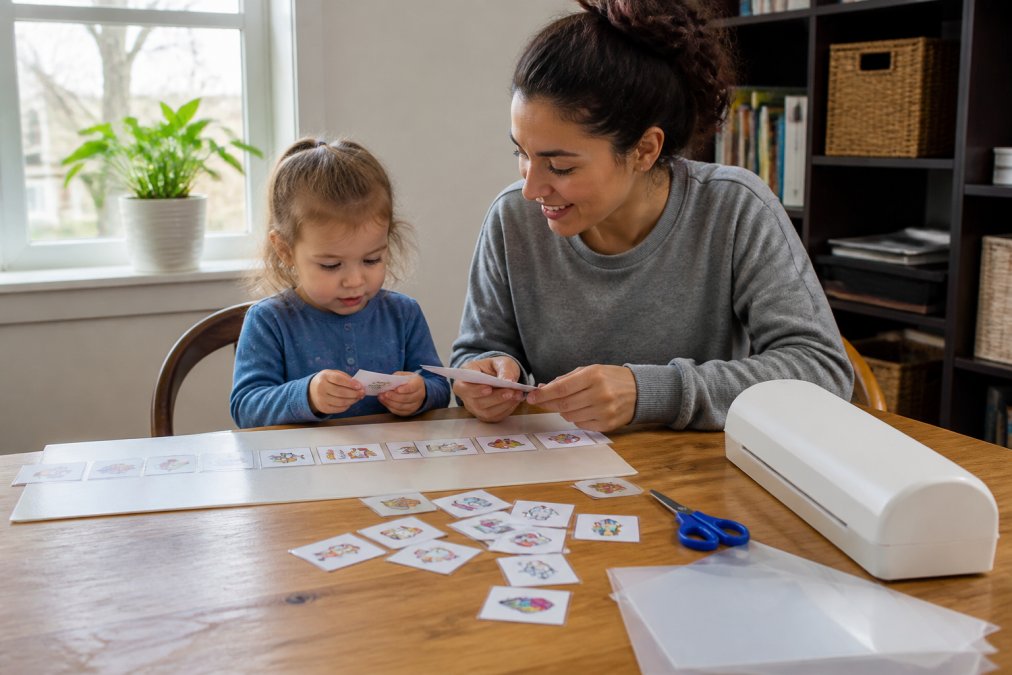
Print your pictures and laminate each one using a home laminator or adhesive laminating sheets. Lamination makes the schedule durable and wipeable. Attach velcro strips to the back of each picture and to your board.
Step 5: Assemble Your Schedule
Mount your pictures in sequence on a poster board, foam board, or cardboard. Leave space at the bottom for a "finished" or "done" section where your toddler can move completed tasks.
Step 6: Add Visual Cues (Optional but Effective)
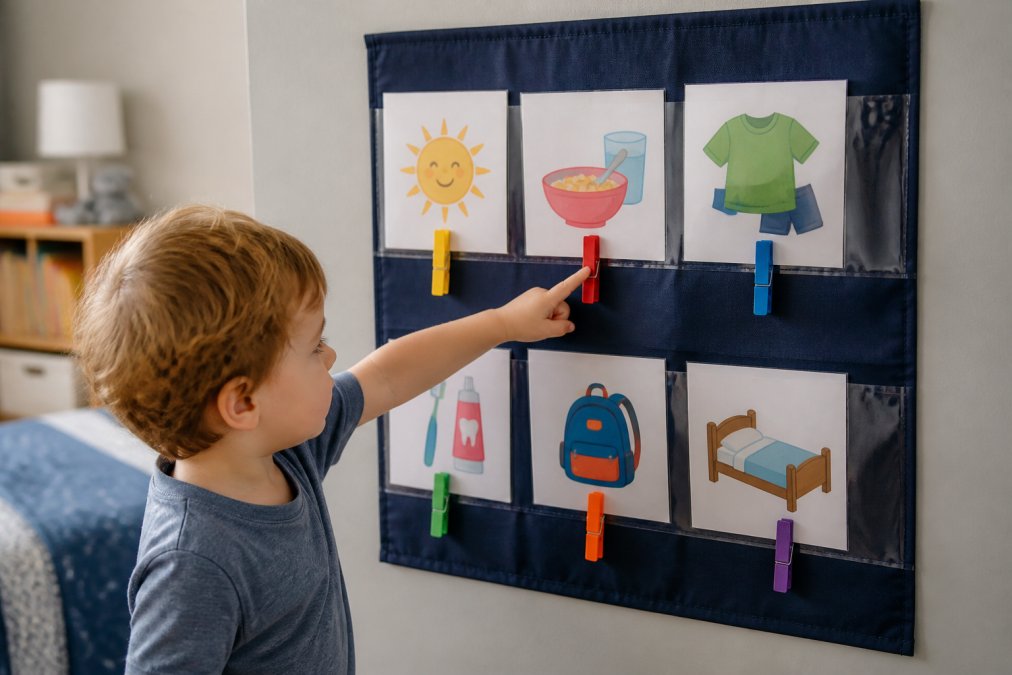
Consider adding a "current task" indicator, a clothespin, arrow, or special marker that points to what's happening right now. This helps toddlers who struggle to track which step they're on.
Free Printable Visual Schedule for Toddlers
Free printable visual schedules are available from multiple sources. The best options come from therapy-focused organizations and education websites designed specifically for young children.
Where to Find Free Printables:
The American Speech-Language-Hearing Association offers free visual schedule templates and picture cards designed by speech-language pathologists. Pinterest hosts thousands of free printable visual schedules created by parents and educators. Teachers Pay Teachers offers both free and low-cost printable schedules ($3-8).
Customizing Free Printables:
Replace generic pictures with photos of your child doing each activity. Add your child's name to the schedule. Use colors your child responds to. Include a reward or incentive picture at the end if motivation is low.
Plan to laminate or use page protectors to extend the schedule's lifespan. Toddlers are rough on materials, and a schedule that falls apart after two weeks loses its effectiveness.
Digital Apps vs. Physical Charts
The choice between digital apps and physical charts depends on your family's lifestyle and preferences. Neither is universally better; the best option is whichever one you'll actually use consistently.
Physical Charts:
Physical charts don't require batteries, internet, or screens. They're always visible on the wall, providing constant environmental cues. A toddler can move a picture or clothespin independently, building a sense of agency. Physical schedules work well for families who want to minimize screen time.
The main limitation is portability. A physical schedule works at home but doesn't travel easily to daycare or appointments.
Digital Apps:
Digital apps offer flexibility and customization. Apps like Choiceworks and JABtalk let you create routines, add timers, include audio cues, and track progress. Some apps sync across devices, so the same schedule appears on a tablet at home and at school.
However, they require screen time. American Academy of Pediatrics recommendations suggest minimizing screen exposure for toddlers under three.
Hybrid Approach:
Many families use both: a physical chart at home for daily routines and a digital app at school or for travel. This gives you environmental cues at home and portability when needed.
WowHaul offers curated physical schedule materials, laminated cards, and velcro boards.
Troubleshooting Common Schedule Challenges
Problem: Your toddler ignores the schedule.
Use photos of your child instead of generic pictures. Narrate the schedule constantly for the first two weeks. Make the schedule interactive by letting your toddler move the clothespin or remove completed pictures. Check if the pictures are at eye level. If your toddler still isn't engaged after two weeks, they may not be developmentally ready.
Problem: Your toddler gets stuck on one step and won't move forward.
Add a timer next to each picture. Use a transition warning: "Two more minutes of breakfast, then we get dressed." Create a "transition object" for sensory grounding. Break difficult steps into smaller pictures.
Problem: Your toddler has meltdowns during transitions despite the schedule.
Reduce sensory input before transitions. Offer choices within the schedule: "Do you want to get dressed first or eat breakfast first?" Use the schedule as a calming tool, not a demand. For children with autism or sensory processing challenges, include sensory breaks in the schedule.
Problem: The schedule works at home but not at school or daycare.
Provide the same pictures and layout at school, or at least very similar ones. Share your narration strategy with teachers. Create a portable version that travels between home and school. Ask the school to send photos of their routine so you can recreate it at home.
Problem: Your toddler has memorized the schedule but still needs reminders.
This is progress. Start fading the schedule gradually by moving it to a less prominent location, using fewer pictures, or transitioning to verbal reminders paired with the schedule.
Frequently Asked Questions
Q: What is a good visual schedule for a 2-year-old?
A: A 2-year-old benefits from simple visual schedules with 3-5 large, colorful pictures showing key daily activities: wake up, breakfast, playtime, lunch, and bedtime. Use clear pictograms or photographs your child recognizes, place the schedule at eye level, and move one picture at a time to show progress. This age group responds best to schedules with minimal text and bright, engaging images that represent concrete activities they experience daily.
Q: How do visual schedules help reduce tantrums in toddlers?
A: Visual schedules reduce tantrums by providing anticipatory guidance and predictability. When toddlers know what comes next, they experience less anxiety and feel more in control. Schedules support executive function development and self-regulation by removing the surprise element that often triggers meltdowns. Children who understand transitions through visual cues are calmer during routine shifts, and the consistent structure prevents behavioral escalation caused by uncertainty or abrupt changes.
Q: Should I use a digital app or a physical board for my toddler's schedule?
A: Physical charts are generally better for toddlers under 3 because they offer tactile interaction, require no screen time, and work without battery concerns. Laminated charts with velcro strips let children move pieces, building engagement and independence. Digital apps work better for older toddlers (3+) who can navigate screens and benefit from reminders and animations. Consider your family's screen time preferences and your child's developmental stage, many families use physical charts for daily routines and digital apps as backup when traveling.
Q: What age should I start using a visual schedule with my child?
A: Most toddlers benefit from visual schedules starting around 18-24 months, when they can recognize simple pictures and understand basic sequencing. However, every child develops differently. Start with very simple 2-3 step schedules and expand as your toddler shows understanding. Children with autism, ADHD, or sensory processing differences often benefit from earlier introduction and more detailed schedules. Watch for signs your child is ready: following simple directions, showing interest in pictures, and responding to routine cues.
This article was written using GrandRanker